
POS that actually works for you
Counter, handheld, self-checkout, invoicing, and new eCommerce controls in one platform for modern retail teams.
What makes Slate different
Built for how you actually sell
One login. One dashboard. Counter, handheld, and self-checkout in one place - with clearer pricing and fit guidance.
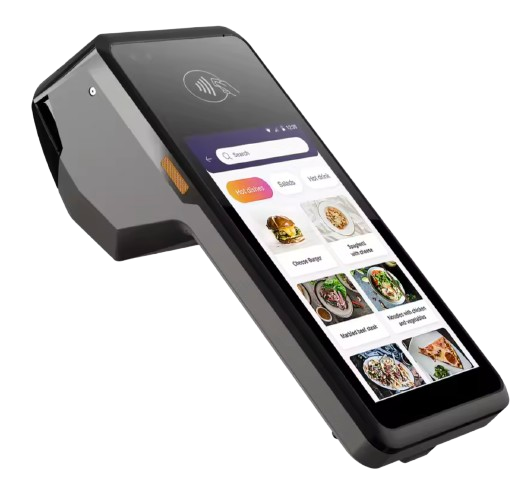
Slate Handheld
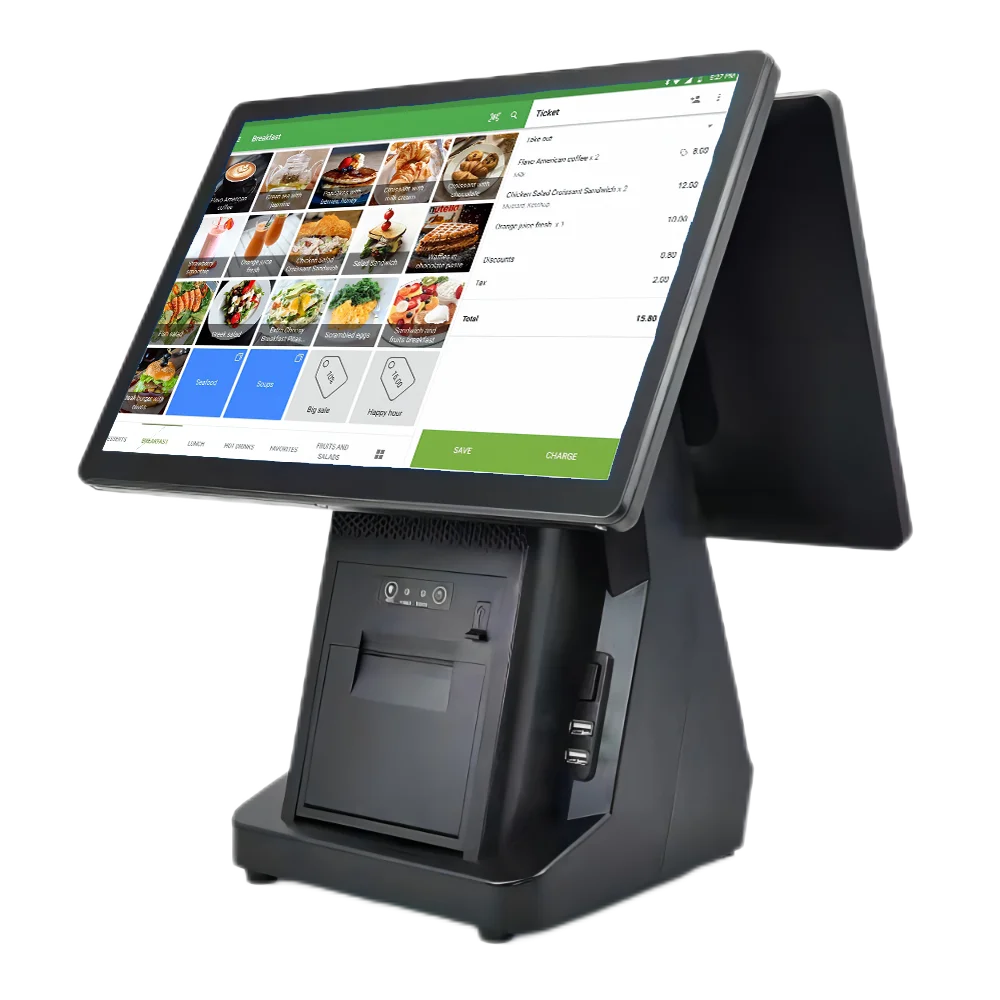
Slate Counter
One platform, every touchpoint
Stop paying for separate terminal contracts, kiosk software, and register licences. Slate gives you counter terminals, phone-sized handhelds for line-busting, and full self-checkout kiosks — all from the same dashboard, with the same product and pricing data.
- Same menu and PLUs everywhere — update once, sync everywhere
- Cash and card on one system — tender tracking and reconciliation in one place
- Shifts, reprints, and reports in HomeBase — no second login
Counter & handheld
Full terminal and phone-sized devices. Scan, tap to pay, print or email receipts. Built for speed.
Self-checkout
Grocery-style kiosks: scan, bag, pay. Ready for your hardware — scanner, scale, card reader.
One dashboard
Orders, reports, shifts, and reprints from HomeBase. Your back office and your till in one place.
The invoicing you’ve been asking for
Create and send professional invoices straight from Slate — at the terminal, in the dashboard, or from any browser. No add-ons, no second system.
Create an invoice in seconds
At the till: add items to the cart, tap Create invoice, enter the customer name and email, and you’re done. The draft appears in HomeBase Invoicing so you can send or email it when you’re ready. Perfect for B2B, catering, and anyone who pays on account.
- Create invoices from the terminal, register, or web — same cart, same products
- Draft, send, and track from one Invoicing hub in HomeBase
- Email invoices to customers; mark as paid when they settle
- No extra fee — invoicing is part of Slate, not a bolt-on
Slate Invoicing
Built into every terminal
Create at terminal or handheld
One tap from the cart
Send from dashboard
Email or print when ready
Customer gets invoice
Clear, professional format
No separate invoicing app. No per-invoice fees.
Is Slate the right fit?
A practical view of how Slate supports in-store and eCommerce operators.
| Feature | Slate | Omnichannel leaders |
|---|---|---|
| Counter + handheld + self-checkout | Built in | Usually available |
| Invoicing | Built in | Varies by plan |
| Card processing headline | 2.5% card processing | Can be lower at scale |
| Cash tender fees | No processing fee on cash | No processing fee on cash |
| Native eCommerce + POS sync | Now available | Often a core strength |
| Click & collect + local delivery | Built in | Usually add-on dependent |
| Best fit | In-store + growing omnichannel teams | Omnichannel at scale |
Transparent card processing, not a one-size-fits-all claim.
Cash does not incur processing fees. Slate's 2.5% applies to card transactions across terminal, handheld, and self-checkout. Compare full monthly landed cost including processing, software, and hardware.
- No monthly minimums
- No hidden card processing tiers
- No long-term lock-in
- Stripe-powered security
Volume comparison
| Provider | Processing | Software + HW | Total / month |
|---|---|---|---|
| Slate (2.5%) | $2,500.00 | $88.00 | $2,588.00 |
| Stripe (1.75% + $0.30) | $2,500.00 | $278.00 | $2,778.00 |
| Square (2.25% + $0.15) | $2,625.00 | $248.00 | $2,873.00 |
| Clover (2.3% + $0.10) | $2,550.00 | $328.00 | $2,878.00 |
This calculator compares monthly landed POS cost: card-processing fees + monthly software + hardware bundle assumptions. Actual merchant fees and plans can vary by card mix, negotiated rates, and contract terms.
Sell online and in-store from one Slate platform
Launch eCommerce fast with channel controls, unified catalog, inventory sync, click & collect, and local delivery settings directly inside Slate.
Unified online catalog
Publish products once and keep pricing, stock, and product details aligned across store and web.
Real-time inventory sync
Stock updates flow between POS and online orders to reduce overselling and manual corrections.
Order management in HomeBase
Track online orders, in-store orders, and invoice status in one dashboard with one login.
Click & collect workflows
Configure pickup windows and handoff readiness so your team can fulfill faster with fewer mistakes.
Local delivery options
Set delivery zones and order preferences to support local fulfillment without additional systems.
Omnichannel reporting
View retail and eCommerce performance together for clearer margin, volume, and product insights.
How it works
Get selling in minutes, not months.
Sign up
Create your account and connect your store in HomeBase.
Add your products
Import or build your menu with PLUs and categories.
Go live
Use Slate Terminal, register, or self-checkout — same login.
Pay 2.5%
One rate on every sale. No surprises, no lock-in.
Secure by design
Your data and your customers' payments are protected with the same standards you expect from enterprise software.
PCI-aware
Built with Stripe and best practices so card data stays secure.
Encrypted
Data in transit and at rest. No storing card numbers on your side.
Uptime
Hosted on reliable infrastructure so your till is always on.
Frequently asked questions
Is it really 2.5% for everything?
2.5% applies to card transactions. Cash does not have card processing fees. Effective cost comparisons depend on your ticket size, volume, card mix, software plan, and hardware terms.
Does Slate include eCommerce?
Slate now includes a dedicated eCommerce module in HomeBase POS with channel setup and sync controls (inventory sync, click-and-collect, and local delivery options). For highly advanced omnichannel workflows, compare platform depth during evaluation.
How does Slate invoicing work?
Create an invoice from the terminal or register: add items to the cart, tap Create invoice, enter the customer name and email. The draft appears in HomeBase Invoicing where you can send or email it, and mark it paid when they settle. No extra cost — it’s part of Slate.
What about integrations, support SLAs, and offline mode?
Confirm these during procurement. We recommend documenting required integrations (for example accounting and loyalty), expected response times, and offline transaction behavior before rollout.
Do I need to buy hardware from you?
You can use your own devices (tablets, phones, PCs) for the register and self-checkout. For counter and handheld we support standard hardware; we can guide you on compatible card readers and scanners.
How does Slate connect to HomeBase?
Slate runs inside HomeBase. One login gives you the POS dashboard, Slate Terminal, self-checkout, orders, reports, and reprints. No separate vendor portals.
Can I leave anytime?
Yes. No long-term contract. You own your data; we don’t lock you in.
Ready to simplify your till?
Join retailers who switched to one platform and one rate. Get in touch and we’ll get you set up.